


Adding photos to posts - walkthrough


Thread Starter
Joined: Apr 2006
Posts: 279
Likes: 0
From:
 Adding photos to posts - walkthrough
Why must you people insist on inserting attachments to photos and thumbnails and rubbish that really makes reading your posts a drag 
Here's a simple walkthrough on how to insert photos within your post... I'm sure it's written in the help but I'm just going to write it out anyways.
Save your photo somewhere, anywhere on the internet that allows hotlinking...
Then write your post and when you get to a point where you'd like to insert your picture, press enter (to go to a new line), click the image button and [IMG][/IMG] will appear. Then paste your link between the middle two square brackets [im]http://web.aanet.com.au/triangle/Small%20BMW%20K100RT%20(9).JPG[/im] (i deleted the "age" from within the square brackets so you can see what the thing is supposed to look like and then hit enter again and continue typing.
If you do that, then click on preview, you should see something like this:
.JPG)
See, it's really not that difficult...
Feel free to abuse me for calling you annoying... I can handle the fact the millions of people are starving all over the world, and I can handle the fact that as a general rule, politicians are stupid and that old people smell... I just struggle sooo much to handle people making it less pleasant to read their articles.
If you want to be nice to people who are still using a 28.8k modem, just note in your thread topic... (28.8k beware) or something like that.
Sorry about the rant... I just couldn't help it!
Also, if you've taken the photo with your awsome 18 megapixel digital camera, make a reduced size version for linking too... if someone asks you for better detail, email them the full size photo or give them a link to where you have uploaded it.
Also, you'll be amazed at the number of replies you get where people congratulate you on the photos after they have given their reply.
Cheers,
Triangle
Here's a simple walkthrough on how to insert photos within your post... I'm sure it's written in the help but I'm just going to write it out anyways.
Save your photo somewhere, anywhere on the internet that allows hotlinking...
Then write your post and when you get to a point where you'd like to insert your picture, press enter (to go to a new line), click the image button and [IMG][/IMG] will appear. Then paste your link between the middle two square brackets [im]http://web.aanet.com.au/triangle/Small%20BMW%20K100RT%20(9).JPG[/im] (i deleted the "age" from within the square brackets so you can see what the thing is supposed to look like and then hit enter again and continue typing.
If you do that, then click on preview, you should see something like this:
See, it's really not that difficult...
Feel free to abuse me for calling you annoying... I can handle the fact the millions of people are starving all over the world, and I can handle the fact that as a general rule, politicians are stupid and that old people smell... I just struggle sooo much to handle people making it less pleasant to read their articles.
If you want to be nice to people who are still using a 28.8k modem, just note in your thread topic... (28.8k beware) or something like that.
Sorry about the rant... I just couldn't help it!
Also, if you've taken the photo with your awsome 18 megapixel digital camera, make a reduced size version for linking too... if someone asks you for better detail, email them the full size photo or give them a link to where you have uploaded it.
Also, you'll be amazed at the number of replies you get where people congratulate you on the photos after they have given their reply.
Cheers,
Triangle

Joined: Jul 2006
Posts: 21
Likes: 0
RE: Adding photos to posts - walkthrough
im new to this site and i was wondering why people were posting attachments didnt know if it was in the rules i didnt read them yet
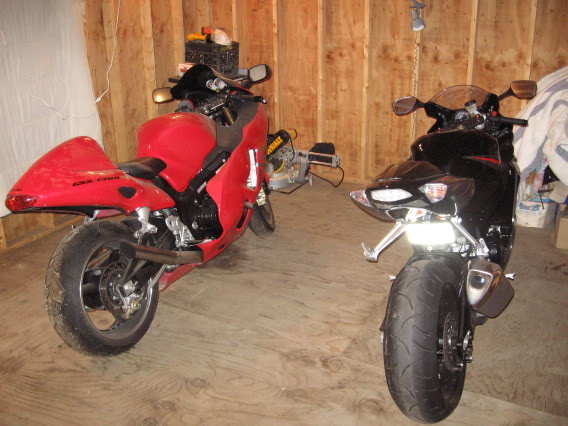
replaced the 05 gsxr with a 06 cbr1000
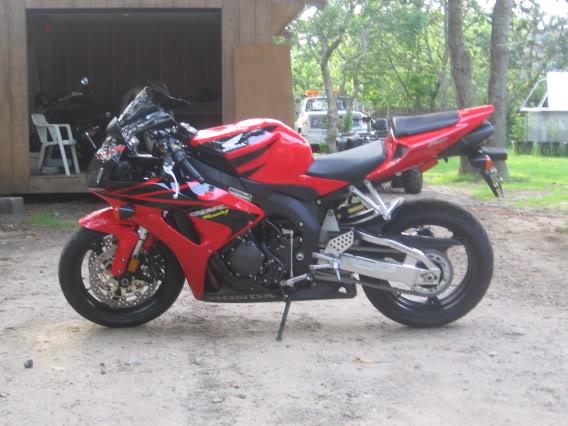
photobucket.com works great
replaced the 05 gsxr with a 06 cbr1000
photobucket.com works great

Senior Member
Joined: Jun 2006
Posts: 200
Likes: 0
From:
RE: Adding photos to posts - walkthrough
yea thanks for clearing this up, everytime there is a post theres a ****ing attachment, then a ****ing file in there and then i can click on it and load. its retarded, start putting pictures in your posts people, you will draw more attention and save everyone time


Senior Member
Joined: Mar 2007
Posts: 624
Likes: 1
From: Central Wisconsin
RE: Adding photos to posts - walkthrough
Okay, I'm starting to get pissed! I've inserted photos on diffrent forums and had no problem, uploaded pics, no problem...but I just can't get this site! I figured how to upload images to my photo album but now that they are there, I can't post them into threads. I tried re-sizing one and uploaded it and still can't insert it into the thread. I can insert pics that were from diffrent sites, but once I attempt to insert one from here, it never works.
The pics that I add to the thread, via the script button, show up in my text area but once I go to preview or say okay, they're long gone. Anyone have any idea what's going on here? What I'm doing wrong...anything!
The pics that I add to the thread, via the script button, show up in my text area but once I go to preview or say okay, they're long gone. Anyone have any idea what's going on here? What I'm doing wrong...anything!

Joined: Aug 2007
Posts: 1,362
Likes: 0
From: Oklahoma City
RE: Adding photos to posts - walkthrough
Hmm... sorry to hear your having problems. I just take the full link of the photo (it'll be something like "http://img90.imageshack.us/img90/2961/1162915529921cx5.jpg" for example), copy it, click the little "Add Image" button (it's the last button on the far right of your options above where you enter text. You know, there's the B, I, U, left/center/right justify, Horizontal Rule, ordered/unordered lists, etc etc then eventually the Insert link, remove link, then Add Image button... which looks like a little yellow picture with some mountains and a little sun or something on it). A window will come up saying "Enter Image URL" with a highlighted http:// in the box. Replace the http:// with your full link (like I showed above, only no " ), then click "ok" and you're done!

Senior Member
Joined: Jul 2006
Posts: 5,248
Likes: 0
From: Scottsburg,In/DaytonaBch,Fl
RE: Adding photos to posts - walkthrough
Put them in photobucket ....... click the mountain picture and post the direct url link in it.... Thats for the people that dont want to read a bunch
Joined: Aug 2007
Posts: 1,362
Likes: 0
From: Oklahoma City
RE: Adding photos to posts - walkthrough
ORIGINAL: D2DGraphix_600RR
Put them in photobucket ....... click the mountain picture and post the direct url link in it.... Thats for the people that dont want to read a bunch
Put them in photobucket ....... click the mountain picture and post the direct url link in it.... Thats for the people that dont want to read a bunch