Off Topic A place for you CBR junkies to boldly go off topic. Almost anything goes.

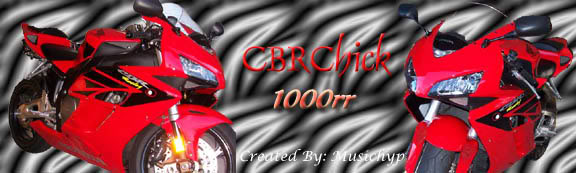
Posting my banner

Old May 13, 2006 | 12:17 AM
  #1  
CBRFREEK's Avatar
Thread Starter
Joined: Jan 2006
Posts: 1,104
Likes: 0
From:
Default Posting my banner

ok now that ive started tinkering with PS 7.0..i created a crude banner but how do i link it on my posts...i have a photobucket or do i need to do it another way...help help help...

[IMG]local://upfiles/4421/4DE0EADAB45A4F9FA435A4CB96B26A76.jpg[/IMG]
 
Reply
Old May 13, 2006 | 01:06 AM
  #2  
CBRFREEK's Avatar
Thread Starter
Joined: Jan 2006
Posts: 1,104
Likes: 0
From:
Default RE: Posting my banner

OK..looks like i figured it out for now...just need to get a bit more creative thats all with the layering..and the individual sizing of layer photos...
 
Reply
Old May 14, 2006 | 05:50 AM
  #3  
Krokus_92F2's Avatar
Member
Joined: Apr 2006
Posts: 99
Likes: 0
From: Dusk Till Dawn
Default RE: Posting my banner


I see you figured it out, can you tell me how you did it? My attachments are always linked as thumbnails [:@] I am frustrated.
 
Reply
Old May 14, 2006 | 09:20 AM
  #4  
regener8ed's Avatar
Super Moderator and Official Welcome Crew Yeti
Joined: Jun 2005
Posts: 2,066
Likes: 6
From: Souf Cackilack
Default RE: Posting my banner

Just the FAQs, Ma'am.

 
Reply
Old May 14, 2006 | 10:41 AM
  #5  
Supersteve911's Avatar
Joined: Apr 2005
Posts: 175
Likes: 0
From:
Default RE: Posting my banner

what programs are u using to make yur banners?
 
Reply
Old May 14, 2006 | 01:28 PM
  #6  
CBRFREEK's Avatar
Thread Starter
Joined: Jan 2006
Posts: 1,104
Likes: 0
From:
Default RE: Posting my banner

I used Photoshop 7.0 and then i used photbucket to host the image..then in your signature box u put the IMG tag in there..it will link your banner..I did find however that you need to change IMG to IMAGE..
 
Reply
Old May 14, 2006 | 06:38 PM
  #7  
ChrisMcD's Avatar
Retired Admin
Joined: Mar 2005
Posts: 1,653
Likes: 0
Default RE: Posting my banner

The sig is looking good freek! Keep working with it and you will find many hidden treats in PS. As for linking it is all done in html, you have to tell it what you want to do like [IMG] then tell it where it is like www.photobucket.com/picture001 Then tell the PC your done with the address [/IMG] but most sites will help with the scripting.... enjoy
 
Reply
Old May 14, 2006 | 06:42 PM
  #8  
CBRFREEK's Avatar
Thread Starter
Joined: Jan 2006
Posts: 1,104
Likes: 0
From:
Default RE: Posting my banner

Im gonna toy with it a bit more...maybe take some better pics with some easier angles to lasso..Ive got the basic idea down tho....i used yours as a refernce by the way Hyp...LOL
 
Reply
Old May 14, 2006 | 07:00 PM
  #9  
ChrisMcD's Avatar
Retired Admin
Joined: Mar 2005
Posts: 1,653
Likes: 0
Default RE: Posting my banner

LOL Your free to go by any of my work....But there are a few of us on here that have some skills.

Here's the ones I have done for theis site so far, use any you like....

Name:  Signature3.jpg
Views: 15
Size:  23.7 KB
Name:  MySig.jpg
Views: 15
Size:  39.0 KB
Name:  bikeicon.jpg
Views: 19
Size:  27.0 KB
Name:  51bf2c65.jpg
Views: 18
Size:  33.8 KB
Name:  ROTYlogo4.gif
Views: 12
Size:  42.4 KB
Name:  FIRE.jpg
Views: 21
Size:  42.0 KB

There are some more but this will get you started.......
 
Reply
Related Topics
Thread
Thread Starter
Forum
Replies
Last Post
chainstretcher
Off Topic
5
Nov 30, 2010 01:01 AM
StuDog44
Off Topic
6
Aug 3, 2008 10:02 PM
rsp919
Off Topic
13
Mar 7, 2008 03:15 PM
arkas
General Tech
6
Mar 23, 2006 02:58 PM


Thread Tools
Search this Thread

All times are GMT -5. The time now is 10:33 AM.