


Faces to names...

Guest
Posts: n/a

Henry ...
read this , it might help mate
https://cbrforum.com/forum/forum-help-suggestion-center-8/how-do-you-add-pictures-into-post-95773/
A well sized optimized pic for the web is fine at 97kbs
but if you are not so good at pic re sizing or optimization ...
It is easier just to open a Photobucket account Henry ..
off to work now :-(
read this , it might help mate
https://cbrforum.com/forum/forum-help-suggestion-center-8/how-do-you-add-pictures-into-post-95773/
and yup ...
Maximum File Size per Picture 97.7 KB Maximum Picture Dimensions 600 by 600 Pixels Pictures will be automatically resized to fit within these constraints if possible. However, you may receive better results by doing it manually.
Maximum File Size per Picture 97.7 KB Maximum Picture Dimensions 600 by 600 Pixels Pictures will be automatically resized to fit within these constraints if possible. However, you may receive better results by doing it manually.
but if you are not so good at pic re sizing or optimization ...
It is easier just to open a Photobucket account Henry ..
off to work now :-(
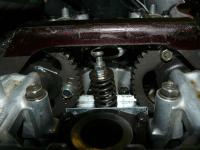
Thanks Steve,
I'm not bad at re-sizing and generally fiddling with photos but whenever I've tried to upload onto the forum it all goes pear shaped. I'll read your link and have another think about it. Cheers for the help mate.
I'm not bad at re-sizing and generally fiddling with photos but whenever I've tried to upload onto the forum it all goes pear shaped. I'll read your link and have another think about it. Cheers for the help mate.

Administrator, MVN / ROTM NOV 2012
Joined: Aug 2008
Posts: 11,003
Likes: 3
From: Republic of Boon Island

Nice PIC
 SS Lady...........sharp pointy heels for taking a thread jackers
eyes out.
Return to this thread never shall I. (unless Henry finally uploads hiz mug)


When you're in photobucket, looking at the pic, just click the "share" link on the top of the pic. Then copy and paste the IMG code into a post reply. You can hit "preview post" if you want, to see if it's gonna show up, but it should come up...

Thread Starter
|
Senior Member
Joined: Aug 2007
Posts: 1,127
Likes: 11
From: United Kindgdom
Henry, you are funny ..lol
I can really feel your frustration coming through the keyboard

Jules

Banned
Joined: Sep 2007
Posts: 1,592
Likes: 0
From: Central PA, USA
Henry, when you bring up your image on photobucket, there should be four links under "Share this image" on the left side of the screen. You want to copy the last one, "IMG Code", and simply paste that into your post. Voila!!
