


photobucket help


Thread Starter
|
Member
Joined: Dec 2007
Posts: 55
Likes: 0
From: St.Louis,MO.
 photobucket help
ok i created a album but,i cant figure out how to move the pics from there to here.[:@]when you say to copy this text what text? ive resized all my pics but they updated their site so im lost.[8D] i hate computers any help would rewarded with 27 virgins!

Retired Moderator ans All Around Good Guy
Joined: Jun 2006
Posts: 4,859
Likes: 0
RE: photobucket help
once the pixs are loaded select which photos you want (there is a check box for this) and then once finished go to the bottom and seclect "generate html codes" then highlight the box which contains the [IMG][/IMG] and paste it in the reply box on here. once pasted change all the IMG to img its that simple


Senior Member
Joined: Jul 2006
Posts: 1,668
Likes: 1
From: Columbus, Ohio
RE: photobucket help
Copy the "direct link" text from the image on photobucket.
It should copy by only clicking the text window. "Copied"will show up.
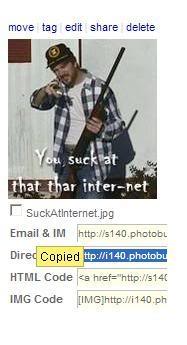
Go to cbrforum and click on the mountain icon, and a new window will show up.
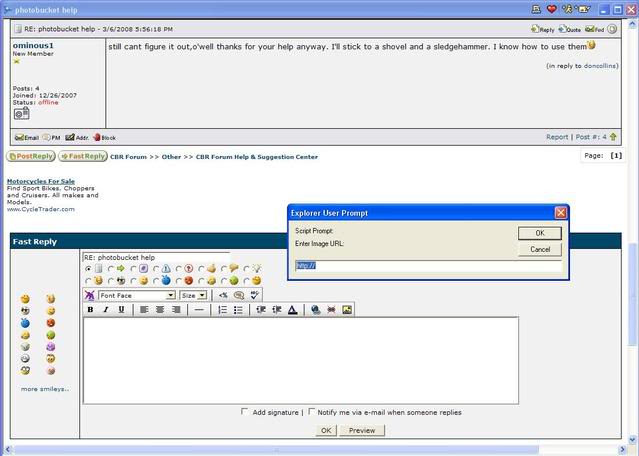
Paste the text that wascopied from the photobucket direct link into that window. Make sure http:// does not show up twice when pasted.
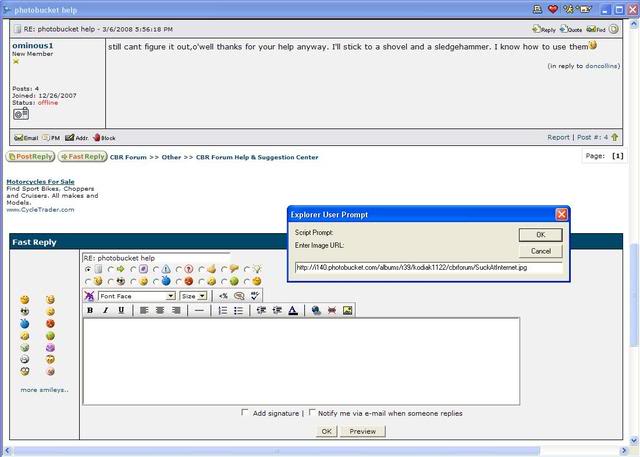
Click "OK" and the image will be embeded in the post.
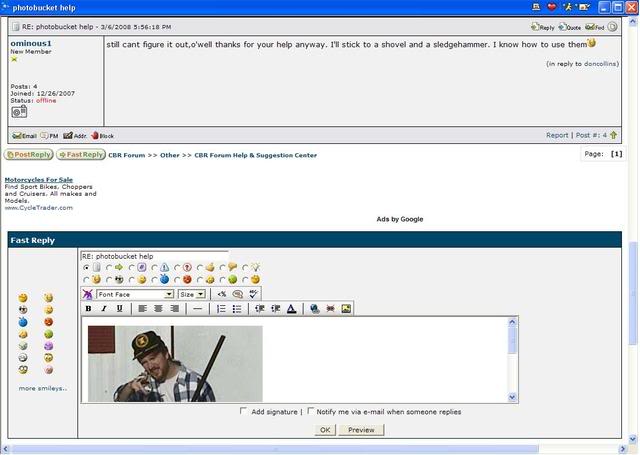
Add derogatory and smart *** remarks as necessary.

Shovels and sledgehammers are not required.
OK now send over the virgins.
More info here -> https://cbrforum.com/m_184631/tm.htm
It should copy by only clicking the text window. "Copied"will show up.
Go to cbrforum and click on the mountain icon, and a new window will show up.
Paste the text that wascopied from the photobucket direct link into that window. Make sure http:// does not show up twice when pasted.
Click "OK" and the image will be embeded in the post.
Add derogatory and smart *** remarks as necessary.
Shovels and sledgehammers are not required.
OK now send over the virgins.
More info here -> https://cbrforum.com/m_184631/tm.htm
Retired Moderator ans All Around Good Guy
Joined: Jun 2006
Posts: 4,859
Likes: 0
RE: photobucket help
yep you can do it that way too or from kodiaks 1st picture copy the IMG code and replace the IMG with img and you wont have to use the pop up box you can just paste the code directly


Thread
Thread Starter
Forum
Replies
Last Post