


I'm SO ANGRY! >:{

 I'm SO ANGRY! >:{
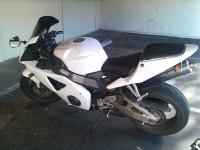
The power commander on my bike is a serial type, and my laptop doesn't have a serial port.
I tried using the 15 pin on my laptop (for a monitor) with a conversion cable that would fit the PC. The power commander was recognized, but since it was on the 2nd monitor port, it all it did was mess with my display on the computer.
I also tried a USB to serial cable. I installed all the drivers for the cable, and I changed it to COM1 (since the PC doesn't read COMs past 8). My computer doesn't detect the PC at all. The lights on the PC aren't flashing... NOTHING. This is so annoying and frustrating, and the ONLY help I've found on this online was that the only USB to serial cord that worked (by Aug 2011) was the Belkin cord, and even that was a task and a half to get going.
Why couldn't the PO have just purchased the USB one!? >:{
I tried using the 15 pin on my laptop (for a monitor) with a conversion cable that would fit the PC. The power commander was recognized, but since it was on the 2nd monitor port, it all it did was mess with my display on the computer.
I also tried a USB to serial cable. I installed all the drivers for the cable, and I changed it to COM1 (since the PC doesn't read COMs past 8). My computer doesn't detect the PC at all. The lights on the PC aren't flashing... NOTHING. This is so annoying and frustrating, and the ONLY help I've found on this online was that the only USB to serial cord that worked (by Aug 2011) was the Belkin cord, and even that was a task and a half to get going.
Why couldn't the PO have just purchased the USB one!? >:{

Retired Super Moderator - At large E=MC2
Joined: Feb 2011
Posts: 2,299
Likes: 4
From: Tulsa,OK

Try going to a higher com port (2-8), yeah they're virtual but sometimes the device is leaving com1 for mice, etc. Go thru each Com port, one at a time and see if the device favors a particular port. What OS are you running, by the way?
Ern
Ern

Senior Member
Joined: Jun 2009
Posts: 2,414
Likes: 0
From: Washington DC area
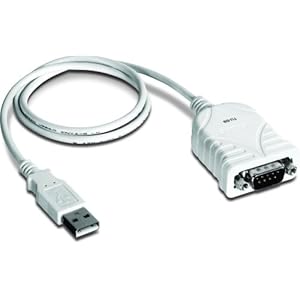
Nate, I did try using something like that. My computer automatically assigned it to a port higher than the power commander will detect, so I manually set it to a lower port, and I got no feedback on the power commander program. :/
I still don't have access to a laptop with a 9-pin connection at the moment, and if that doesn't change, soon, I'll likely just upgrade the PC to a newer version. Such a pain in the ***.
I still don't have access to a laptop with a 9-pin connection at the moment, and if that doesn't change, soon, I'll likely just upgrade the PC to a newer version. Such a pain in the ***.

Senior Member
Joined: Oct 2007
Posts: 1,407
Likes: 1
From: Central Ca.
Did you turn the ignition on so you have power to the power commander while it's hooked up to your laptop?


Senior Member
Joined: Apr 2008
Posts: 419
Likes: 1
From: Atlanta, GA
I have a PCiiir serial port but didn't have the cable so I purchased a USB to serial port cable. The cable came with a cd to install the driver....which I did.....and when I plugged it up, nothing happened. The computer acknowledged the cable but not the power commander. I made sure to download the correct software from powercommander.com. Make sure to plug in the power commander, turn the ignition key on and also have the kill switch turned on so that everything gets power. Then instead of manually selecting a port, select the auto feature and it should work for you. That's what I had to do and finally was able to load/edit maps.

Retired Super Moderator and Fighterer
Joined: Nov 2006
Posts: 6,146
Likes: 37
ya, use the auto, i think mine uses com port 6? or something... its been a while since i've been on there. i'm not a computer guy by any means, and it was pretty simple and straight forward
is the PC working at all? because, when you turn the ignition on, the greenlight should go up and then down... and you then you should have a base reading when the bike is idling. if not, then is it possible your PC isn't wired onto the bike correctly?
is the PC working at all? because, when you turn the ignition on, the greenlight should go up and then down... and you then you should have a base reading when the bike is idling. if not, then is it possible your PC isn't wired onto the bike correctly?
Last edited by Conrice; Apr 26, 2012 at 07:35 PM.

Thread
Thread Starter
Forum
Replies
Last Post
