


Image embedding from Google Drive no longer working?


Thread Starter
|
Senior Member
Joined: May 2011
Posts: 1,988
Likes: 439
From: Mesa, AZ
 Image embedding from Google Drive no longer working?
Has anyone noticed that picture-embedding from Google Drive is no longer working? I usually do this:
1. From Google Drive image, pick share > Manage Access -> set to General Access: Anyone with the Link
2. Then Copy sharing URL, for example, this is common one I used across many forums on testing for broken wires:
https://drive.google.com/file/d/1fTa...w?usp=drivesdk
3. Paste it into Google Drive Direct Link Generator to create embeddable image URL
https://drive.google.com/uc?export=d...7gba-yxsUZqffq
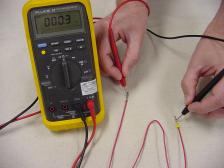
4. Embed image URL in forum post between [ img] [ /img] tags and we get this:

But it hasn’t been working. I’ve reviewed hundreds of my posts over previous years on multiple forums and all embedded images don’t show up. So it’s not changes in forum software or settings. Definitely something changed on Google Drive.
For now, I can upload images to individual posts, or create upload album on each forum. But that’s lots of extra work.
Anyone know what changed with Google Drive image sharing and how to get embedded images showing in forum posts again? thanks!
1. From Google Drive image, pick share > Manage Access -> set to General Access: Anyone with the Link
2. Then Copy sharing URL, for example, this is common one I used across many forums on testing for broken wires:
https://drive.google.com/file/d/1fTa...w?usp=drivesdk
3. Paste it into Google Drive Direct Link Generator to create embeddable image URL
https://drive.google.com/uc?export=d...7gba-yxsUZqffq
4. Embed image URL in forum post between [ img] [ /img] tags and we get this:
But it hasn’t been working. I’ve reviewed hundreds of my posts over previous years on multiple forums and all embedded images don’t show up. So it’s not changes in forum software or settings. Definitely something changed on Google Drive.
For now, I can upload images to individual posts, or create upload album on each forum. But that’s lots of extra work.
Anyone know what changed with Google Drive image sharing and how to get embedded images showing in forum posts again? thanks!
Last edited by dannoxyz; Jan 13, 2024 at 12:31 PM.

Thread
Thread Starter
Forum
Replies
Last Post
Redacted Kaos
Off Topic
3
Feb 3, 2024 05:18 PM